

We really hope you found this guide before your game was already finished. You need to think about localization at the design and development stage. Long before a single string is translated, your game must be prepared for players from different cultures.
In this guide, we’ll walk you through:
- How to ensure your code is l10n-ready
- Which regions to prioritize based on the latest 2026 data
- Why generic AI translations can harm your game’s reputation
- How an ecosystem like Crowdin helps to manage game localization
So, let’s start – ideally, far from your release date.
Game localization vs. game translation
If you think localization is just swapping English text for Spanish, you are only seeing a piece of the puzzle. While translation focuses on linguistic accuracy, localization (l10n) is the deep adaptation of your game’s soul to a target culture.
A player’s experience can’t be broken just by a bad word choice. Experience is broken when the world around them feels awkward. True localization ensures your game feels like it was made locally, regardless of where the player is sitting.
Localization is a multi-layered process that includes:
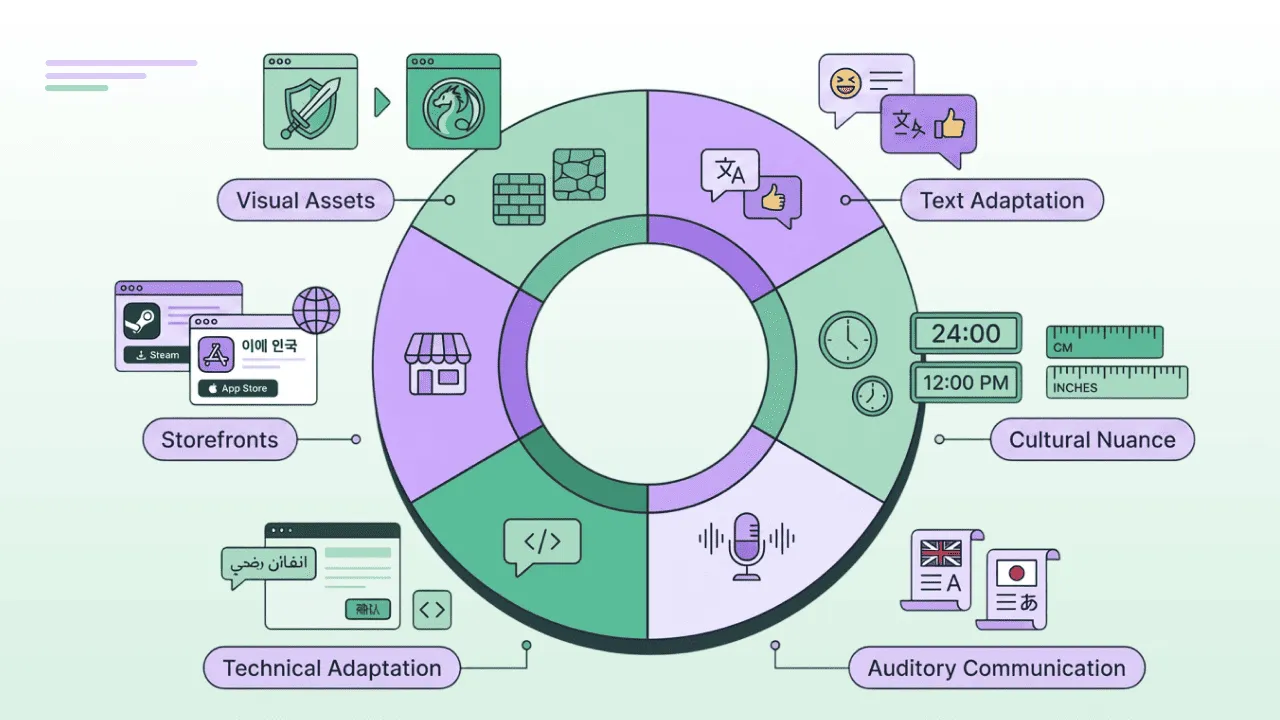
- Text Adaptation: Adjusting jokes, idioms, and character voices to resonate with local players.
- Visual and Graphic Assets: Modifying in-game art, textures, and even cover art to avoid cultural taboos or offensive symbols.
- Technical Adaptation: Supporting Right-to-Left (RTL) writing for markets like the UAE or Israel and ensuring font compatibility for complex scripts like CJK.
- Auditory Communication: Adapting voiceovers and dubbing scripts to match the timing and emotional tone of the target language.
- Cultural Nuance: Adjusting “silent” elements like colors, hand gestures, and numerical systems (e.g., metric vs. imperial or 24-hour clocks).
- Marketing and Storefronts: Localizing your Steam or App Store metadata, achievements, and keywords to improve discoverability in global markets.
Now that we have seen how localization goes deeper than just translating words, let’s look under the hood at the development side.
Aim to make an intuitive design
A successful global launch doesn’t start with a translator; it starts at the design and development stage. Long before the first string is translated, your game must be prepared for players from different cultures.
Before a player reads a single dialogue box, they interact with your visual design. Design is a silent language. Colors, shapes, and symbols carry cultural baggage that can alienate players if handled incorrectly.
To ensure your game resonates with users, consider these four pillars of visual and auditory communication:
- Colors: Remember that colors carry different meanings. While red might mean “danger” in one culture, it can mean luck or wealth in another.
- Sounds: Audio cues for success or failure should be distinct and universally recognizable.
- Shapes and signs: Be careful with hand gestures or religious symbols that might be offensive in certain regions. Even small details, like the number of fingers on a character, can matter – some cultures find four-fingered heroes problematic.
- Numbers: Certain numbers are considered unlucky (like the number 4 in Japan) and might need to be avoided in UI elements or floor levels.
"The first thing is that we usually try not to rely on text. We try to design things to be as intuitive as possible, so that when a player picks up the game, they can perform a certain action or meet our expectations without us even needing to use text to guide them.
8 principles of localization-friendly game development
Following these eight architectural rules ensures your game is l10n-ready from the start.
1. Separate text from code
Hard-coding strings (e.g., print("Hello World")) is an enemy of localization. Different game engines (Unity, Unreal Engine, Godot, RPG Maker, custom) and platforms (Android, iOS) support different localization file formats and structures.
File formats like .json, .xml, .csv, and .po are usually used to provide most of the information translators need. Modern game engines help to unify this process (they build games for different platforms with the same assets) and export files for external localization.
If text is buried in the source code, translators can’t touch it without potentially breaking the game’s logic. External files allow external vendors to translate files with the tools they use most or set up a seamless localization process via platforms like CrowdIn and further in-game LQA without a full re-compile.
2. Support diverse character sets
English uses a standard Latin character set, but other languages are more complex. Your engine must support Unicode (UTF-8) to handle thousands of unique characters in CJK (Chinese, Japanese, Korean), Latin, Cyrillic, Arabic, and Greek alphabets, etc.
Don’t forget Right-to-Left (RTL) flow. If you plan to launch in markets like the UAE or Israel, your UI needs to be capable of mirroring text and menus for Arabic and Hebrew, so the interface feels natural to native speakers.
3. Prepare for cultural and grammatical differences
Supporting characters are only half the battle. You must also support the logic of those characters and their regions.
Pluralization and gender
Many languages have complex rules that a simple “s” in English cannot handle. Use ICU Message Format to create smart strings like {count, plural, one {# sword} few {# swords} many {# swords} other {# swords}}. This allows translators to fill in the correct grammatical “buckets” without breaking code.
Numerical formatting
Don’t hard-code decimal delimiters or thousand separators. While the US uses a period (1.5), many European countries use a comma (1,5).
Date and time standards
Different regions follow different logic. A date like 10/12/26 could be October 12th or December 10th, depending on whether the player is in the US (MM/DD/YYYY) or the UK (DD/MM/YYYY). Always support both 12-hour and 24-hour clocks to match local expectations.
Measurement systems
There is no point in showing a German player a distance in miles, as they use the metric system. In a dynamic game environment, seeing pounds instead of kilograms or yards instead of meters adds unnecessary cognitive load.
Cultural symbols and numbers
Be mindful that even specific numbers carry weight; for instance, the number 4 is considered unlucky in Japan and should be avoided in UI elements or floor levels. Similarly, symbols or hand gestures that are harmless in one region can be offensive in another.
4. Adapt for global keyboard layouts
The standard WASD setup is a Western convention. In France, players use AZERTY; in many Asian markets, Input Method Editors (IMEs) are used to type complex characters.
If your game requires a player to “Press E to interact”, but they are on a layout where “E” is in a different physical location, the ergonomics break. Always allow for rebindable keys and IME support for chat and naming.
Always use a variable for keybinding messages and adapt keybindings to different layouts and platforms. Not only for regional keyboard layouts, but also for PC/Console/Mobile differences.
5. Use variables, not string fragments
If you want to add a variable or make a combination of variables, provide a full sentence for localization as well. Work with pluralization formats for better results.
Examples of different scenarios (coding format can differ depending on the engine or implemented solution):
-
Separate strings for singular and plural. Cons: many languages have more than 2 plural forms. So good for English, bad for most European languages.
Kill {one} wolf.Kill {many} wolves. -
Using pluralization in one sentence. Best “cheap” option, but if you have similar messages for all types of enemies, it can be dozens or hundreds of similar lines with small differences.
Kill {count} {count:plural:one{wolf} other{wolves}}. -
Using pluralization on the item/entity level. Cons: requires a bigger setup on the development level. Pros: The best possible preparation.
Kill {count} {count:plural:one{wolf} {enemyType}}- where each enemy name will have a list of required forms:enemyType_wolf="Wolf"enemyType_wolf_sentence"{wolf|wolves} -
Use meaningful variable names. All variables you use in the game should be understandable and unique. If a translator or an AI sees a string like
Press %s to %s, they have zero context to provide an accurate translation. Using descriptive, unique names allows the localization team to understand the logic and type of data being inserted.Examples of clear variables:
|count|,|num|,|money|,<color>,%%attack_type%%,%numeric_modifier%,|enemyType|,%playerName%.A variable named
|money|tells the AI it is dealing with currency, which might require specific placement or symbol formatting (like moving the$or€sign).
Rule: Never break a sentence into pieces. Always provide the entire sentence as a single string to the translator so they can move variables (such as {count}) to the grammatically correct position.
6. Localize your graphics (or avoid text in them)
If your “Game Over” screen is a static PNG with the text baked into the art, you will have to hire an artist to redraw it for every single language.
Keep your UI textless. Overlay dynamic text strings on top of your background textures using your UI system. This saves on art costs and allows for instant updates if you decide to change a UI term later.
7. Use pseudolocalization as a stress test
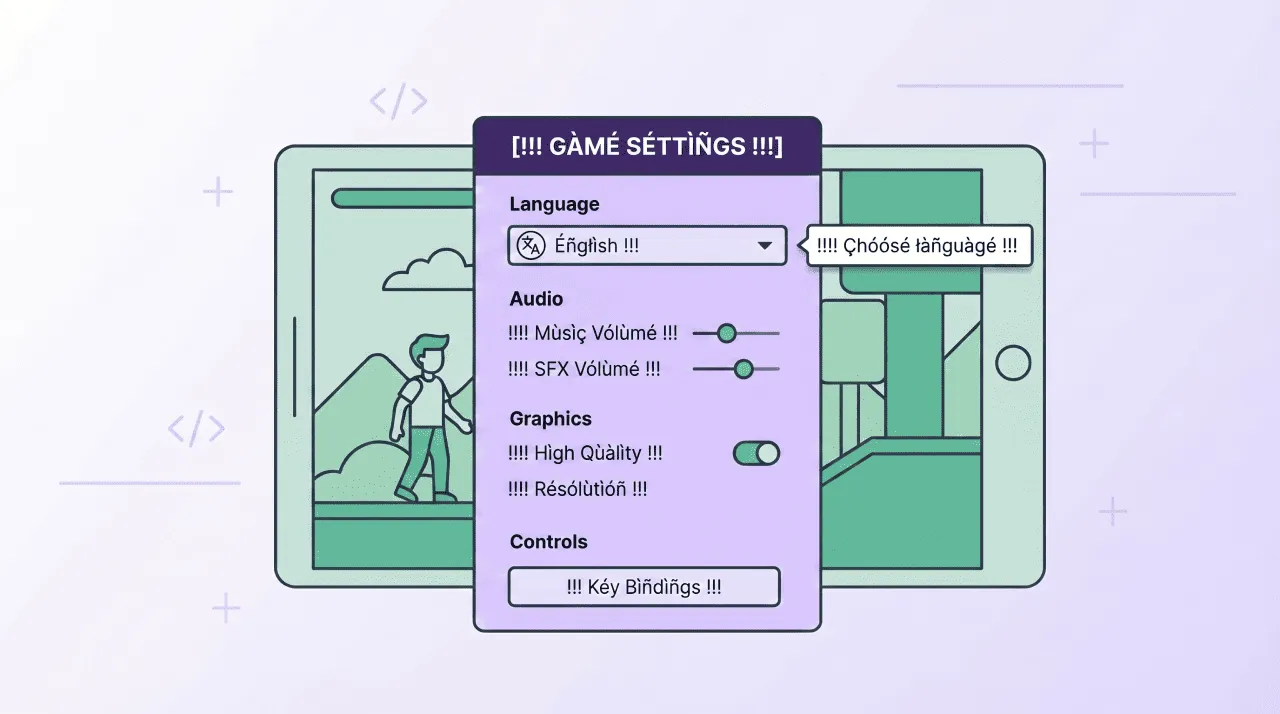
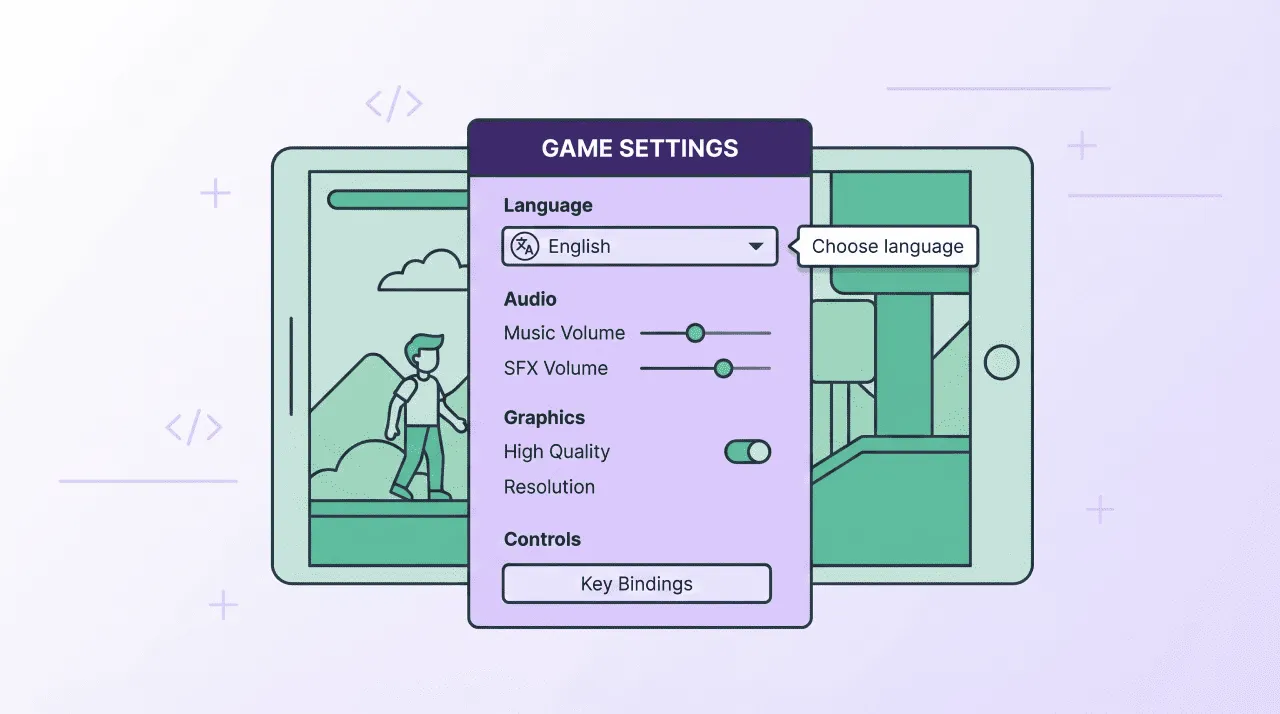
Before you hire a single translator, run your game through a pseudolocalization tool. This replaces your English text with expanded, accented characters (e.g., [ !!! Éñglîsh Têxt !!! ]).
This allows you to see immediately if your UI boxes are too small for longer languages (expansion factor) or if your chosen font is missing the special glyphs needed for foreign markets. It’s the ultimate “early warning system” for your UI.
8. Context and duplicates
Provide additional context for all strings that are not intuitive.
If you have buttons with the same titles but different context usage, do not reuse the same string for different places, create separate strings.
btn_attack="Attack" | Call-to-action button in the battle menu
stat_Attack_number="Attack" | Characteristic in a character sheet
stat_modifier_Attack="Attack" | Pop-up modifier message above player head
Market selection: where to go first?
Don’t guess where to expand – follow the hard data. According to the March 2026 Steam Language Survey, the linguistic landscape of global gaming is dominated by three main clusters. If you aren’t localizing for these, you are ignoring over 70% of the active PC gaming market.
| Rank | Language | Share (%) |
|---|---|---|
| 1 | English | 39.09% |
| 2 | Simplified Chinese | 22.75% |
| 3 | Russian | 9.21% |
| 4 | Spanish - Spain | 4.81% |
| 5 | Portuguese - Brazil | 4.42% |
| 6 | German | 2.96% |
| 7 | French | 2.46% |
| 8 | Japanese | 2.24% |
| 9 | Polish | 1.82% |
| 10 | Korean | 1.69% |
| 11 | Turkish | 1.27% |
| 12 | Traditional Chinese | 1.24% |
| 13 | Spanish - Latin America | 0.82% |
| 14 | Thai | 0.79% |
| 15 | Ukrainian | 0.74% |
In general, the Steam Language Survey is one of, but not the most important, ways to choose languages. It depends on genre, budget, and many other factors. Often, small markets can show overwhelming results.
"Do not underestimate “lesser” languages. There are many proven cases when developers added natural localization for the language not from the “Top 10 languages for game localization” list, and it gave them +5% of total revenue, which is a lot.
Also consider the English-fluency factor
When your budget is limited, you shouldn’t just localize for the biggest populations; you should localize where English fluency is lowest. This is your highest ROLI (Return on Localization Investment) opportunity.
-
Mandatory localization (low English fluency). In markets like Japan, South Korea, Mainland China, and Brazil, English proficiency is generally lower among the broader gaming public. In these territories, no localization often means no sales. These should be your first priority for a deep localization effort.
-
“Nice-to-Have” (high English fluency). In regions like Scandinavia (Sweden, Norway, Denmark) or the Netherlands, English fluency is exceptionally high. While players appreciate seeing their native language, they are often perfectly comfortable playing in English. If your budget is tight, you can safely deprioritize these markets until after a successful launch.
Other barriers to entry
Before you commit to a market, consider the hidden costs.
- Regulatory licensing: Expanding into Mainland China requires obtaining a game license (ISBN) and often partnering with a local publisher.
- Age ratings and content: Be aware of regional rating systems like PEGI (Europe) or USK (Germany), which may require content adjustments for blood, gore, or specific symbols to ensure market entry.
Why games need specialized AI localization workflows
If you have ever used a generic AI translator, you have likely seen it perform well on a formal email or a news article. But games are a different beast entirely. A generic AI “sees” a list of strings; a player experiences a cohesive world. When AI is applied to games without a specialized workflow, the immersion breaks.
Problem with generic AI localization in gaming
- Context Gap: In a game, the word “Tank” could be a military vehicle, a character class (the “Shield”), or a container of liquid. Generic AI guesses based on the most common usage, leading to nonsensical translations in 50% of cases.
- UI Paradox: AI doesn’t naturally know that your “Start” button only has space for 8 characters. It might provide a beautiful, accurate 20-character translation that spills across your UI and ruins the player’s experience.
- Tone and Lore Inconsistency: Games rely on flavor. A grizzled pirate shouldn’t talk like a corporate HR manager. Generic AI often defaults to a polite-neutral tone, stripping your characters of their personality.
- Hallucinations: AI models are designed to be helpful, which means if they don’t know a world-specific term (like a “Zonai Charge” or “Mako Energy”), they might invent a translation that sounds plausible but contradicts your lore.
You can find plenty of Reddit threads where players complain about bad game translations. These translations are noticeable within the first minutes of playing, breaking the game experience.
"Bad localization can destroy a player’s experience even in a best-designed game!
What we try to tell you is that using raw ChatGPT outputs without a framework can harm your game’s reputation from day one. Game texts are something players see in the game constantly. And due to the complex structure of the game and text files, AI by itself simply can’t give good output.
Crowdin AI ecosystem for game localization
You might be thinking: “Okay, but Crowdin uses the same engines – ChatGPT, Anthropic, etc. Why do I need a Translation Management System (TMS)?”
The difference is that within Crowdin, AI doesn’t operate in a vacuum. Even without the advanced features we will dive into later, the AI in TMS performs much better simply because it lives inside your project environment. And with rich context, you can improve translation accuracy:
- Even human translations can fail without context. By connecting your git repository, the AI can actually scan your code to understand how a string is used.
- If you upload your style guides, the AI moves from “generic” to “on-brand.” It ensures the tone stays consistent, whether your game is a dark gothic horror or a bright cozy farmer.
- Glossaries are non-negotiable. A glossary ensures the AI knows exactly which terms to leave in English and which specific in-game items or lore names have mandatory translations.
- Uploading screenshots allows the AI to see where the text lives. It won’t try to put a 20-character sentence into a 5-character UI button.
Not all LLMs perform well in different languages. Check the list of the best LLMs for translation.
Preparation is the main secret of good AI translations
All this preparation is the foundation of high-quality AI localization. If you have ever used AI for your tasks, you might have noticed how much the output changes when you write a prompt as a single line without context, vs. when you spend time on it by adding screenshots and details. It’s a machine – you need to know how to work with it, not just blame it for bad translations.
Further, we will explore some specialized Crowdin features that can make your game’s AI localization even better.
AI Pipeline
Instead of a single prompt, Crowdin allows you to build a structured pipeline of prompts. You can pre-process strings with your glossary so the AI knows “Tank” always means “Defender” and then apply style guides to enforce the needed tone before the text ever reaches the editor. AI Pipeline re-checks herself, and skips the ambiguities for your review (not just guesses). But what if those ambiguities are 800? The manual review takes a lot of time. Then the next app is for you.
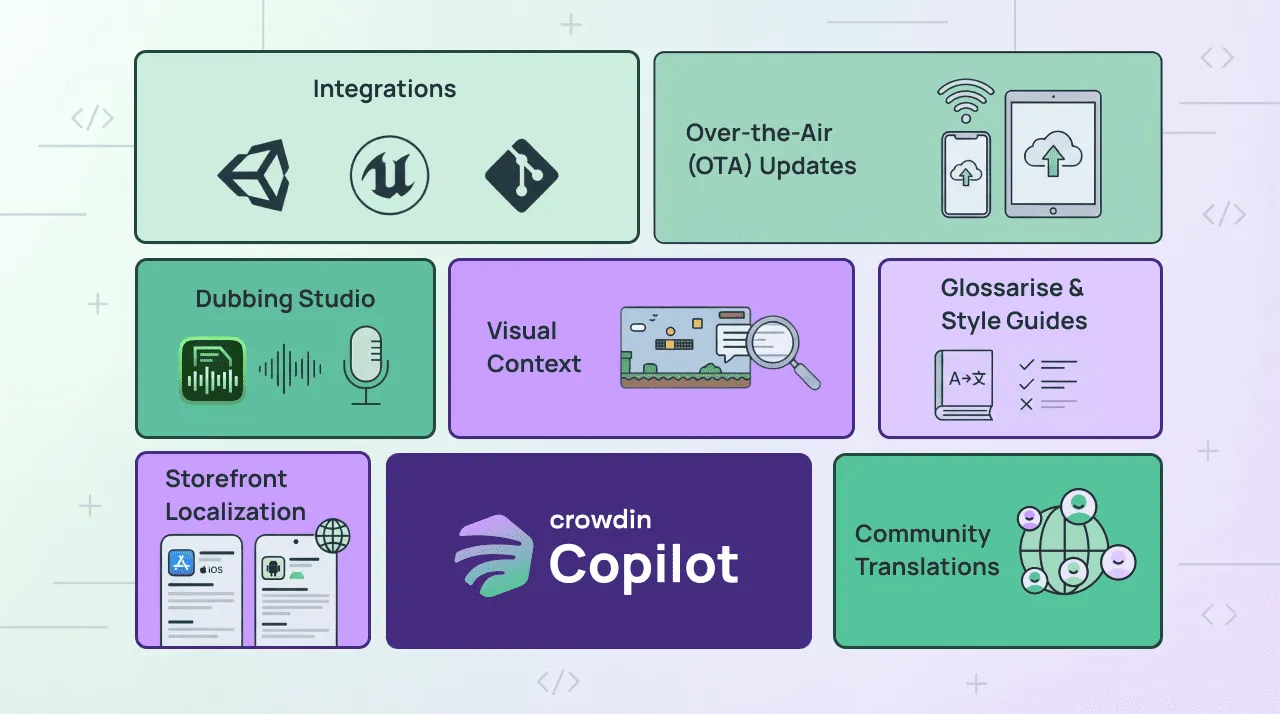
Crowdin Copilot
Copilot is an AI assistant in Crowdin that not only helps with translations but also has management skills. If you run the AI Pipeline through the Copilot, it can group ambiguities in simple questions, saving your time. Here’s how it works:
- Manager starts pre-translate in chat with the Crowdin Copilot.
- AI Pipeline processes content, flagging ambiguous strings with specific failure reasons.
- Copilot collects all failures and analyzes them for commonalities.
- Then, it synthesizes minimal questions that resolve as many strings as possible.
- Human answers the questions (or AI suggests automated solutions).
- Copilot re-runs the pipeline with the new context.
The question synthesis is where this becomes interesting. The agent doesn’t just group failures – it reasons about what information would unblock them.
For a video game with 800 ambiguous dialogue lines, it may ask: “These 800 strings are dialogue involving characters: Cyberworm88, NightOwl, and The Keeper. To translate correctly, I need to know:
- What is Cyberworm88’s gender?
- What is NightOwl’s gender?
- What is The Keeper’s gender?”
In addition to those capabilities, it can create tasks and specific reports, check translation statuses, and much more. See more use cases in our blog post about Crowdin Copilot.
Generic AI vs. Crowdin AI Ecosystem
| Feature | Generic AI | Crowdin AI Ecosystem |
|---|---|---|
| Context Awareness | Sees strings as a list; often guesses meaning. | Scans your code and git repository to understand string usage. |
| Visual Context | No visual input; high risk of UI overflow. | Uses screenshots to “see” where text lives and respect UI limits. |
| Terminology | Inconsistent; might “hallucinate” or invent lore terms. | Uses glossaries to ensure lore and in-game items are translated accurately. |
| Tone & Style | Defaults to a “polite-neutral” or corporate tone. | Follows style guides to maintain character personality (e.g., a pirate vs. a hero). |
| Handling Ambiguity | Guesses (often incorrectly) on words like “Tank” or “Shield”. | AI Pipeline flags ambiguities and skips them for human review. |
| Management | Manual prompting and copy-pasting required. | Crowdin Copilot synthesizes minimal questions for managers to unblock hundreds of strings at once. |
| Workflow | Static; disconnected from the actual game build. | Integrated with Unity, Unreal, and Mobile SDKs for OTA (Over-the-Air) updates. |
How much does AI translation in Crowdin actually cost?
Crowdin apps and guides for game localization
By using the Crowdin Store for Gaming, you can automate the flow of assets directly into your team’s hands.
For game engineers
For the technical team, the goal is to spend less time managing files and more time building features.
- Direct engine integration: Use the Unity or Unreal Engine Gettext PO systems to pull strings directly from your project into Crowdin. Read the dedicated guide about Unity game localization.
- Automated tech tacks: The n8n nodes allow you to connect Crowdin to your entire tech stack, automating the “push and pull” of content whenever a build is triggered.
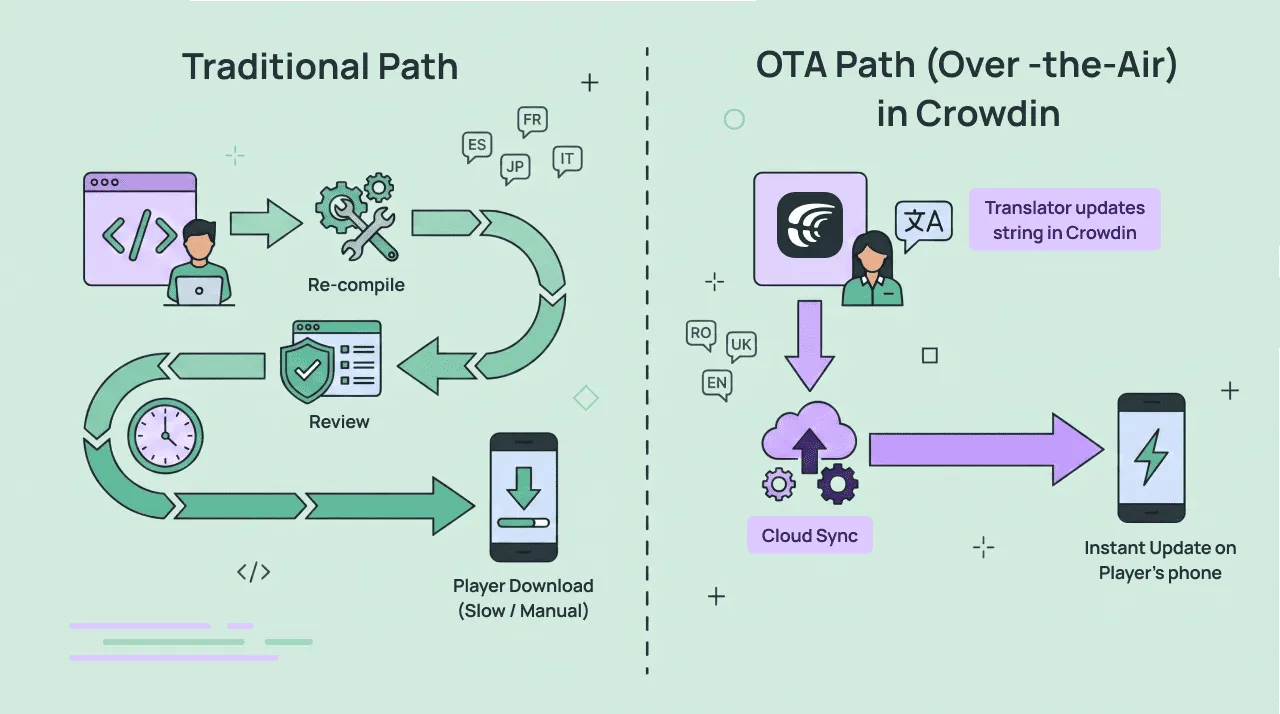
- Over-the-Air (OTA) Updates: Use the Crowdin SDK for iOS and Android to push translation hotfixes directly to players’ devices without waiting for a full store review cycle.
For game publishing
Localization doesn’t end inside the game. It’s critical for discovery on global storefronts. Your publishing team can manage the entire “metadata” journey through Crowdin.
- PC storefront localization: Use the Steam Store Page Localization, Epic Games Storefront, and Microsoft Store apps and guides to translate your game descriptions, taglines, and update logs.
- Mobile App Store Optimization (ASO): Use specialized apps for the Google Play Store and Apple App Stor to localize keywords and metadata to improve organic discovery.
- Achievement systems: Use the Epic Games Achievements, Xbox Live Service Config, or Steam Multilingual VDF apps to localize achievements, presence strings, and stats without manual XML editing.
For audio and multimedia
For sound designers, Crowdin offers a tool to handle more than just text.
- Dubbing Studio: This AI-powered app is a real helper for voice-over production. It allows you to create and translate audio and video assets, managing scripts and timing in one place.
- Cult Connector: Localize text inside Adobe After Effects directly through Crowdin. It eliminates manual copy-pasting by syncing compositions and text layers, providing translators with visual context (screenshots), and automatically generating localized compositions back in After Effects.
For quality assurance
- WOVN.games: helps with translation and LQA. It helps you identify visual bugs, text overflows, and cultural inconsistencies directly within the game environment.
- Real-Time LQA: Crowdin SDK enables real-time previews, allowing testers to see how translations look inside the UI before the official release.
Game localization with community vs. professional workflows
You need to determine which translation workflow aligns best with your studio’s goals: community-driven, AI + professional human translators.
Regardless of which path you choose, centralized localization management is non-negotiable. Whether you are working with thousands of volunteers or a handful of professional agencies, all strings, translations, and context must live in a Translation Management System (TMS) like Crowdin. Without a TMS, you are left chasing spreadsheets and manual file exports, which is a recipe for version-control problems.
Community-based game localization
For many indie developers and live-service titles, your greatest asset is your player base. Engaging passionate fans to translate your game ensures the dialogue feels authentic to gamer speak.
- Quality control in the TMS: Don’t just hand over a file. Use Crowdin to provide a Style Guide and Glossary that volunteers see in real-time as they translate.
- Voting – the secret to successful crowdsourcing. Instead of a single person deciding on a term, Crowdin’s voting system allows the community to vet and upvote the most accurate options. This democratic process automatically filters out “troll” entries and highlights the most natural-sounding phrasing.
- Proofreading: Even with a high-functioning community, you need a final layer of oversight. Assigning “Proofreader” roles to your most trusted community members or a core lead ensures that every string is reviewed for consistency and tone before it ever reaches the game build. This multi-step process: Translation → Voting → Proofreading – transforms raw fan translations into professional-grade localization.
Hybrid Workflow: AI + professional translators
Modern gaming moves too fast for traditional, purely manual translation. By integrating the AI tools discussed earlier with professional human oversight, you create a continuous localization pipeline.
You can set up the automated AI pre-translation and next use machine translation post-editing.
Even with the best AI, professional human translators and agencies are essential for linguistic quality assurance and transcreation – adapting jokes, cultural references, and character voices that a machine simply cannot feel.
"When looking into the localization of a video game, the adaptation of different aspects of the game should be considered. The success or failure of a video game in a particular market could depend on these adaptations. Some elements to consider aside from the in-game text would be the in-game art, the cover art, and even the title of the game.
Crowdin features a selected marketplace of professional vendors. You can browse agencies specialized in game localization, view their expertise, and hire them directly through the platform. This allows you to scale from one language to thirty without the administrative headache of managing dozens of separate contracts.
One system for all game localization tasks
The best advice for any studio is simple: stop using spreadsheets and build an automated pipeline instead. With Crowdin, you can manage the entire journey from the first string to the final voice-over in one place.
Here is why this workflow makes life easier:
- A system that “gets” it: Because you have uploaded your glossaries and screenshots, the AI and your translators actually understand your game’s lore instead of just guessing.
- Update with ease: Whether you are pushing code to a repository or sending a hotfix to mobile players via OTA, your translations stay in sync automatically.
- Audio is built-in: You can manage scripts and voice-overs through the Crowdin Dubbing Studio app, keeping your sound files and text in perfect harmony.
- Scaling is easy: You can start with a community and easily add professional agencies from the marketplace as you grow – all without changing your technical setup.
Game localization shouldn’t feel like a series of manual tasks. When your tech, your fans, and your professional partners all live in one environment, you can stop worrying about files and get back to making your game great.
Localize your game and reach a global market
FAQ
What is the difference between game translation and game localization?
Translation is primarily concerned with linguistic accuracy and swapping text from one language to another. Localization, however, is a deeper adaptation of the game’s “soul,” encompassing text, visual assets, audio, and technical elements to make the game feel like it was natively developed for the target culture.
When is the best time to start the game localization process?
Localization should ideally begin during the design and development stages, long before the game is finished. Preparing your game for global players before a single string is translated prevents technical and cultural issues closer to the release date.
What are the primary rules for making a game localization-ready?
Developers should separate text from code by using external file formats like .json or .po to prevent translators from accidentally breaking game logic. Additionally, engines must support Unicode (UTF-8) for diverse character sets and allow for flexible UI designs that can handle text expansion or Right-to-Left (RTL) scripts.
How should developers handle complex grammar and variables?
Instead of breaking sentences into fragments, developers should provide entire sentences as single strings with meaningful variable names. Using tools like the ICU Message Format allows the game to handle complex pluralization and gender rules across different languages without breaking the code.
How should a game studio choose which languages to prioritize?
Market selection should be based on hard data, such as the Steam Language Survey, which shows English and Simplified Chinese as the top languages as of March 2026. Studios could prioritize markets with low English fluency, such as Japan or Brazil, where localization is often mandatory for sales.
Why is the Crowdin AI ecosystem better than generic AI tools?
Generic AI often lacks context, leading to “hallucinations” or UI overflows because it treats text as a simple list of strings. Crowdin AI ecosystem uses glossaries, style guides, and screenshots to provide the AI with visual and technical context, ensuring the translation fits the UI and matches the game’s lore.
Can I manage both community volunteers and professional agencies in one place?
Yes, a Translation Management System (TMS) like Crowdin allows you to centralize all strings and context regardless of who is performing the translation. You can engage fans through voting systems to ensure authenticity or hire specialized professional vendors directly through the Crowdin marketplace to scale your project.
How can I update translations after the game has already launched?
By using the Crowdin SDK for iOS and Android, developers can perform Over-the-Air (OTA) updates. This allows you to push translation hotfixes directly to players’ devices instantly without waiting for a full app store review cycle.

Diana Voroniak
Diana Voroniak has been in the localization industry for over 4 years and currently leads a marketing team at Crowdin. She brings a unique perspective to the localization with her background as a translator. Her professional focus is on driving strategic growth through content, SEO, partnerships, and international events. She celebrates milestones, redesigns platforms, and spoils her dog and cat.